Problem
Some users may not be shown when inviting use to a channel under certain circumstances.
Possible cause (valid for any channel type)
If you look for a user whose name contains an umlaut, it is mandatory to use the correct umlaut and not use e.g. “ae” instead of “ä”, because then the user can not be found. (But it is poossible to find the user by using the ‘regular’ letter instead of the umlaut, e.g. “a” instead of “ä”, “s” instead of “ß” and so on.
Additionally, the user can not be listed, if you are in a communication restricted contact group and are therefore unable to see specific other users and if that user is also not a member your contact group or any other contact group that your contact group has been granted communication to.
Please contact your administration to have the contact group settings checked.
How to check/resolve it as an administrator
-
Click on the

-
At “User” you can look up the ‘probably limited’ user.
-
Click on the user so the menu page opens on the right side and select “Contact groups”, to see every contact group where the user is a member of.
-
Now select “Contact groups” in the menu to the left side.
-
Look for the contact groups where the user was a member and select “Edit contact group” in the menu that you can open by clicking the

-
Open the section “Communication path” and check if the contact group is restricted.
-
Edit the settings accordingly to make the user able to communicate with the desired contacts.
If a user is in multiple contact groups they can contact any user which at least one of his contact groups enables them to.
It is also possible to set a filter for certain contact groups when inviting users. Only users of the selected contact groups will be shown then. An active filter is signalized with a number at the 
Select the symbol to reset the filter, so that every user will be listed again.
Possible cause (valid for channel type "encrypted")
For encrypted channels, any user you want to invite needs to have a valid encryption key. This key is linked to the creation of the encryption password that the user sets when logging in for the first time after registration.
Therefore it is generally not possible to invite users that are “not yet activated”.
If a user is (not yet) activated can be check by the administration in the organisation settings at “User”.
If the user did not yet sign into their account, please contact them via another way.
Rare cause
It is possible, that a user completes the registration and is therefore “activated” but does not complete the first log in after and therefore they have not set their encryption passwort.
This would be the cause, why the user is not shown during invitation to the encrypted channel.
If you want to check if this is really the case, you can send a message to the user in question.
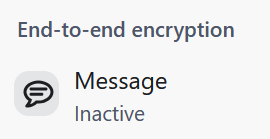
If the user did not set their encrypton password, the message info will state that end-to-end encryption is “inactive”.