
The communication channels from users can be limited by restrictions set in contact groups, so that members of that contact group can only see other members of that group in their contacts and create a conversation with them.
This can limit these users ability to create video conferences because you have to message the Chat Bot for their creation.
How to enable the Chat Bot for users with limited communication
-
Create an unlimited contact group with the name “Chat Bot” whose only member is the user Chat Bot.
-
Now you can either add the Chat Bot user to every other contact group, or you can add the “Chat Bot” contact group as an allowed contact group by checking it in the “Communication channels” section.
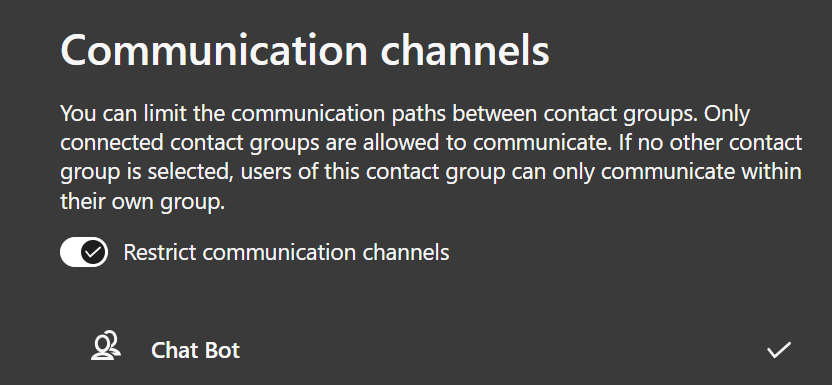
Limiting the communication for the Chat Bot user
The Chat Bot must not be limited by contact groups. This is achieved by adding the Chat Bot to its own not limited contact group (1.), because being in a not limited contact group disables the limitations of other contact groups for the user.
If the Chat Bot is limited by a contact group, he will answer the following message as an answer to “/meet”, even if he is still a member of your organization:
"Leider kann dieser Befehl nicht länger genutzt werden, da ich keine Berechtigung zum Zugriff auf dein Profil habe. Möglicherweise wurde der Chat Bot durch einen Administrator gelöscht und ist kein Mitglied mehr auf einer von dir verwendeten Organisation."